Trade show lead capture app: scan, speak, send
A lead scanner app keeps what a pile of cards or a spreadsheet loses: who you met, what they wanted and what to do next. Followbooth is built for the stand. You scan a card, say a sentence about the conversation, and the brochure reaches the visitor before they walk away.
What a lead capture app should do at the stand
- Capture a contact in a few seconds, without typing.
- Keep what you heard: a note, not just a name and a number.
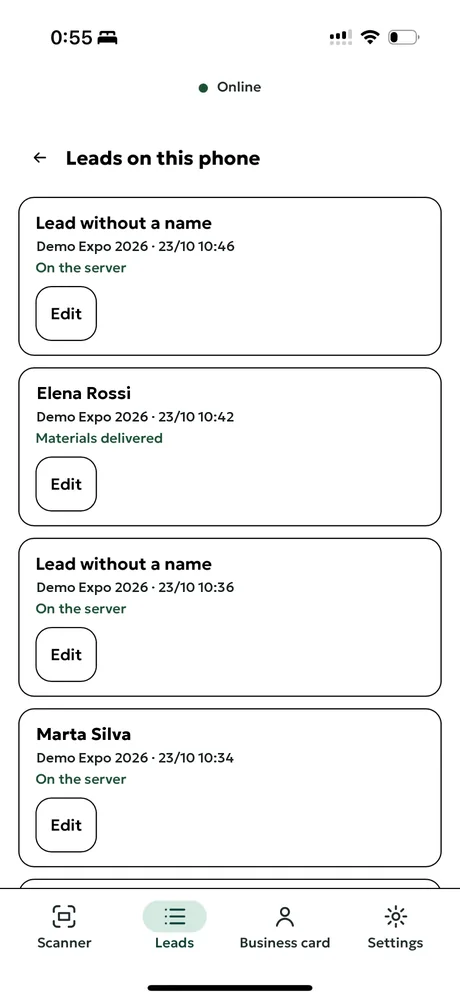
- Let the whole team add leads to one list.
- Record how the visitor agreed to be contacted.
What it should do after the show
- Show who to call first.
- Get your material to the visitor while they still remember you.
- Let you export the leads to your own CRM or spreadsheet whenever you want.
How Followbooth works
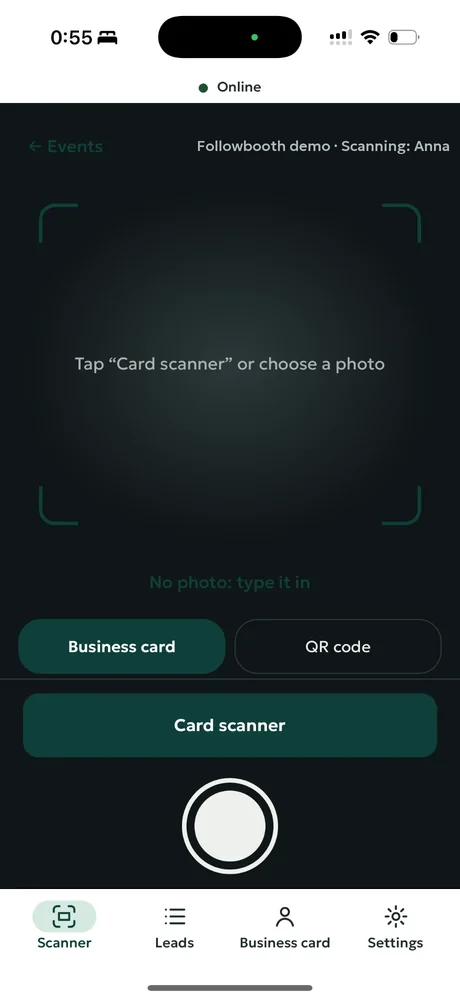
Scan the card
Point the phone camera at the card. AI reads name, company, email and phone. Printed name badges work too.
Say what you talked about
Hold a button and speak for a few seconds. The note is transcribed and saved with the lead.
It goes out
If the number is on WhatsApp, the brochures go there. If not, they go by email. Files are picked by the visitor's language.
Call the right people first
Each lead gets a short company brief, an A, B or C grade and a suggested way to open the call.
Demo data
Details that matter at a stand
- The right brochure in the right language
- Upload PDFs and tag each one: Czech, English, German, Russian, Ukrainian. A Czech visitor gets the Czech files.
- WhatsApp first, email as backup
- Followbooth checks whether the number is on WhatsApp before sending. If not, the same files go by email.
- One QR for several brochures
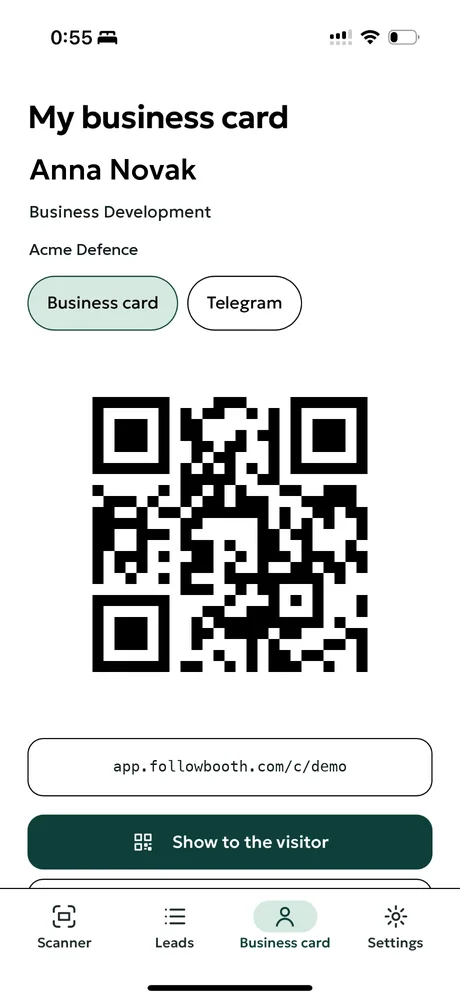
- Print a QR on the stand. Visitors download the files themselves and can leave their details. Their consent is stored with the lead.
- The whole stand team in one list
- Everyone signs in with a name and a PIN. All leads land in one list and show who scanned them.
- Your data stays yours
- Export every lead to CSV whenever you want. Leads are deleted on request.
What Followbooth does not do today
No native CRM connectors yet (CSV export, an API, webhooks and Zapier instead), no badge barcode scanning, and the native apps are not in the stores yet: the iPhone app, which works without signal, is in testing, and the Android app is coming to Google Play. In the browser, reading a card needs a connection. WhatsApp messages go out from your team's own linked number; an official WhatsApp Business route is planned.
Prices
Start free with 10 business card scans, no card needed. Prices exclude VAT.
- Event Pass: €149 per show
- Up to 3 people and 300 leads, with access for 30 days after the show. For teams that exhibit a few times a year.
- Team Annual: €790 per year
- Up to 5 people, unlimited shows and 1,500 leads a year, then €0.30 per lead. Includes QR file groups for every show and a data processing agreement.
Questions about lead capture apps
Is there a free lead capture app for trade shows?
With Followbooth you can start free with 10 business card scans, so you can test it at your stand before you pay.
Does a lead scanner app replace a CRM?
No. It collects and sorts the leads at the stand. You can export them to CSV, or send them to your CRM through the API, webhooks or Zapier on the paid plans. Followbooth has no native CRM connectors yet.
Who owns the leads I collect?
You do. You can export every lead to CSV at any time and ask us to delete them.
Which brochure languages does it support?
Files are picked by the visitor's language: Czech, English, German, Russian or Ukrainian.
Related pages
Try it at your next show
Start free: 10 business card scans, no card needed.